


Faceless Reels - AutoAIReel
4.554.00 Reviews
App Specs
- Version
- 2.1.39
- Updated On
- License
- Free
- Downloads
- 10,000+
- Developer
- AutoAIReels - Create Faceless Videos
- Categories
- Video Players & Editors
- Platform
- Android
Screenshots
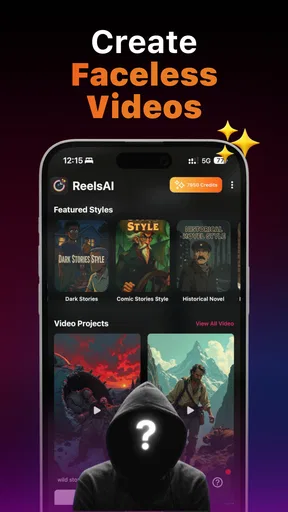
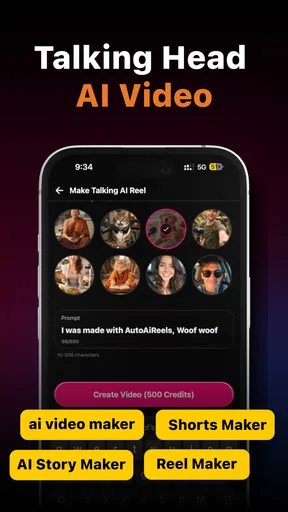
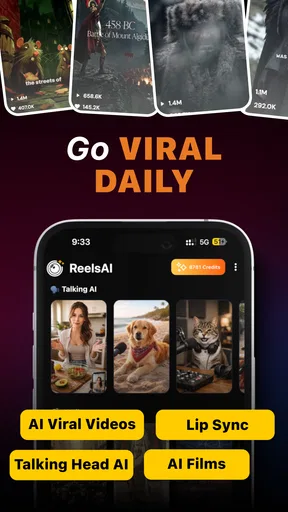
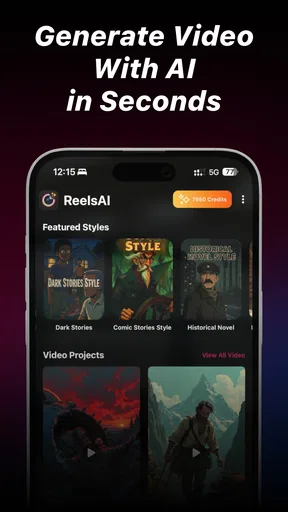
 Analysis by AppCompare
I tested Faceless Reels - AutoAIReel as an AI-focused video editor for people who want to make short story videos without appearing on camera. That single idea shapes the whole experience: instead of starting with a blank editing timeline and building every visual by hand, I could begin with a concept and work toward a short, publishable piece. It feels aimed at creators who care more about producing a steady stream of vertical videos than mastering traditional editing software.
The app sits in the video players and editors category, but I would not compare it directly with a full desktop editor. Its appeal is narrower and more practical. It is designed for faceless reels, narrated stories, and quick social clips where the script, visual flow, and presentation need to come together with less manual work. The developer is AutoAIReels - Create Faceless Videos, and the app is free to install, with optional purchases ranging from $2.99 to $99.99 per item.
Turning an idea into a faceless short
The most important capability here is not simply adding captions or trimming clips. It is the attempt to turn a written idea into a complete short-form video concept. In my experience, that changes the first question from “Which clips should I edit?” to “What story can I explain clearly in a short format?” That is a useful shift for anyone who has ideas but gets stuck when faced with a blank project.
A faceless format can work for many subjects: short explanations, fictional mini-stories, list-style content, motivational scripts, historical summaries, or simple educational posts. The creator stays off camera while the video depends on narration, text, imagery, pacing, and sound. That makes the app especially interesting for people who do not want to record themselves, do not have a suitable filming space, or want to separate their personal identity from their content.
I found the concept most effective when I treated the generated result as a first draft rather than a finished production. AI can help establish a rhythm and give a story visual direction, but the creator still needs to check whether the wording sounds natural, whether the scenes match the message, and whether the opening gives viewers a reason to continue. The real benefit is reducing the distance between an idea and an editable draft, not removing the need for editorial judgment.
That distinction matters because short videos are unforgiving. A vague opening, an image that does not fit the sentence, or a caption that appears too late can make an otherwise good idea feel weak. Faceless Reels can help with the construction of the format, but it does not automatically know what your audience will find convincing or entertaining. I would use it as a production assistant, not as a replacement for deciding what is worth saying.
What the workflow feels like
The practical workflow is easier to understand if you think of it as a sequence of creative decisions. I would begin with one focused topic instead of a broad subject. “Three ways to prepare for a job interview” is more workable than “career advice.” A narrow idea gives the generated video a better chance of maintaining a clear direction from the first line to the final scene.
Worth Reading Before You Choose

EA SPORTS FC Mobile 26 Is a Bigger Football Game, but It Takes Time

Flipboard Shows What News Apps Must Do Beyond the Feed

Switching to Android Auto Means Rethinking Your Driving Routine

Google Calendar Makes a Crowded Week Easier to Manage

Ludo King Makes the Most of the Minutes Between Plans

Baby Panda World Brings Quick Play to Modern Phones, but Its Game Library Feels Busy
From there, I would review the structure before worrying about decoration. Does the opening explain the promise of the video? Does each point lead naturally to the next one? Is the ending useful, or does it simply stop? These checks are more important than choosing a flashy visual style. A polished reel with a confusing argument is still confusing.
The next step is to inspect the relationship between words and visuals. Faceless videos often rely on stock-style imagery, animated text, or background footage to maintain attention. Those elements should reinforce the narration rather than merely fill space. If the voice discusses saving money but the visuals suggest luxury shopping, the mismatch becomes distracting. I recommend replacing or adjusting any scene that looks attractive but weakens the meaning of the sentence beside it.
Captions deserve a separate pass. Many viewers watch short videos in situations where audio is low or unavailable, so readable text is not just a visual accessory. I would check line breaks, timing, contrast, and the amount of text shown at once. Long sentences squeezed into a small caption area can make the video feel rushed. Shorter phrases usually give the viewer enough time to understand the point without pausing the reel.
One useful habit is to watch the draft twice for different reasons. On the first viewing, I focus only on whether the story makes sense. On the second, I ignore the subject and watch for friction: sudden changes in imagery, awkward pauses, captions that arrive too early, or a conclusion that feels incomplete. Separating those reviews prevents me from overlooking structural problems while admiring the presentation.
A realistic everyday use case
Imagine I run a small cooking account but do not want to appear on screen. I could use the app to build a short explanation about avoiding common mistakes when storing fresh herbs. Instead of filming my face, I would shape the video around a concise script, supportive food imagery, readable captions, and a clear closing suggestion. The result could introduce the topic, explain the mistakes one by one, and finish with a practical reminder.
The time-saving advantage appears before publishing. I would not need to arrange a camera, find a quiet room, record several takes, or manually assemble every caption from scratch. That makes the app useful on a busy day when I have a good idea but limited time. However, I would still want to verify that the advice is accurate and that the visuals show the right ingredients or actions. For practical subjects, an attractive but incorrect image can damage trust quickly.
The same workflow could suit a fictional micro-story. I might write a short mystery with one setting, two characters, and a reveal at the end. The app can help turn that outline into a sequence of visual moments, but I would keep the story simple. A crowded plot with many locations and characters is harder for any automated video workflow to represent consistently. Short-form storytelling rewards one strong idea more than several underdeveloped ones.
Where it is stronger than a traditional editor
Compared with a conventional mobile editor, the main advantage is the starting point. A standard editor gives me precise control over clips, layers, cuts, transitions, and audio, but it expects me to bring the raw material and much of the creative plan. That is ideal when I already have footage or know exactly how I want the video to look. It is less helpful when I have only a sentence or a rough story.
Faceless Reels is more approachable in that early stage. It is built around the kind of content where the script and presentation are closely connected. For a creator producing several short concepts, that can make experimentation less intimidating. I can test whether an idea works in a vertical story format before spending a long time recording or editing custom footage.
The trade-off is control. A full editor is usually better when I need exact timing, carefully layered sound, detailed color work, complex motion graphics, or a highly consistent visual identity. If my channel depends on a recognizable host, custom footage, or a distinctive editing signature, an AI-first workflow may feel restrictive. I would choose the app for speed and ideation, then move to a more precise editor when the project demands detailed finishing.
It also differs from simply recording a talking-head reel. Recording myself can create trust and personality that a faceless format does not automatically provide. On the other hand, a faceless workflow is easier to repeat without worrying about lighting, appearance, or performance on camera. The better choice depends on the relationship I want with viewers: personal presence is powerful, while visual anonymity can be more flexible and private.
Important trade-offs before committing
The first limitation is that automation can make different videos feel similar if I accept the initial result without editing. Short-form content benefits from a recognizable voice, but that voice does not have to come from a person on camera. It can come from the writing, the choice of examples, the pacing, and the visual rules I apply consistently. I would rewrite generic lines and remove filler rather than publish the first draft unchanged.
The second issue is visual accuracy. A generated scene may communicate a general mood without showing the exact object or action mentioned in the script. That is acceptable for abstract subjects, but it matters more for tutorials, product explanations, health-related topics, and news-style content. I would treat every visual as something to inspect, especially when the video makes a factual claim.
There is also a quality difference between a quick social post and a carefully produced campaign video. For casual publishing, a clean structure and understandable captions may be enough. For a professional brand, I would want tighter control over typography, brand colors, sound design, and asset selection. The app can help create a starting draft, but I would not assume that an automated result will meet every brand guideline without additional work.
The free entry point makes it easy to try the workflow, but optional purchases should be considered before building a long-term production habit. The listed purchase range extends from $2.99 to $99.99 per item, so I would first determine how much of my regular process depends on paid options. A tool can be useful for occasional experiments yet become poor value if I only need one simple video every few weeks.
Device compatibility is another practical point. The app requires Android 8.0 or later, which covers many devices but still makes the operating system worth checking before installing. The current version is 2.1.39, so I would keep the app updated when possible, particularly if I rely on it for frequent creation. I would also leave enough free storage for video projects and exports, because short-form files can accumulate even when each individual clip seems small.
Who will get the most from it?
I think the strongest audience is the beginner or occasional creator who has ideas but lacks time, confidence, or interest in traditional editing. It can also suit someone testing a new content theme, because the faceless approach lowers the pressure to appear on camera. If I wanted to explore several topics before choosing one, a faster draft cycle would help me learn which concepts are easiest to explain and most enjoyable to refine.
It is also a sensible fit for creators who prefer privacy. Not everyone wants their face, home, or personal surroundings attached to every post. A faceless reel can keep attention on the subject itself, although the creator still needs to develop an original writing style if they want viewers to remember the account. Privacy is a benefit, but anonymity alone is not a content strategy.
I would be more cautious if I were an experienced editor who already owns a library of carefully filmed footage. In that situation, the app’s central workflow may not save much time. I would probably get more value from software that offers deeper timeline control, better asset management, and precise finishing tools. Likewise, creators whose success depends on live reactions, personal demonstrations, or direct audience connection should not expect a faceless generator to reproduce that energy.
For younger users, the Teen content rating is worth keeping in mind. That does not replace normal parental judgment or responsible publishing habits, especially when AI-generated scripts and images are involved. I would review every finished video before sharing it publicly and avoid presenting invented details as fact. The convenience of automated creation makes that final human check more important, not less.
My recommendation after using the workflow
Faceless Reels - AutoAIReel makes the most sense when the problem is getting from a written idea to a coherent short video. Its value is concentrated in that first production stage: shaping a script, giving it a visual sequence, and making the result suitable for a faceless format. I appreciate that focus because it addresses a real obstacle for new creators, namely the blank screen and the amount of setup required before a story feels publishable.
I would recommend trying it if you want to experiment with narrated reels, educational snippets, fictional shorts, or topic-based videos without recording yourself. Start with a narrow idea, inspect every scene, shorten captions that feel crowded, and revise the opening until the purpose is immediately clear. Those steps make a bigger difference than adding extra effects.
I would skip it as my main editor if I needed advanced manual precision, a strong on-camera identity, or complete control over a professional visual system. In those cases, a traditional editor is likely to be the better foundation, with this app serving only as an idea generator if its workflow fits. For everyone else, its free starting point and focused concept make it a practical way to test whether faceless content suits their creative routine.
The app has an average rating of 4.5 from around 6.9 thousand ratings, with over 10 thousand installs, which suggests that its focused approach is attracting early interest. I would read those figures as encouragement to try the workflow, not as a guarantee that every generated video will be ready to publish. My final opinion is positive but measured: use it to accelerate the first draft, then rely on your own judgment to make the reel worth watching.
Pros
- Automatically creates short-form videos without showing your face.
- AI-assisted editing helps speed up reel production.
- Useful for creators who lack advanced video-editing skills.
- Can support consistent content creation for social media.
- Helps turn simple ideas into ready-to-share visual posts.
Cons
- AI-generated results may require manual editing for better quality.
- Creative options can feel limited compared with full video editors.
- Some features may be restricted behind a subscription or credits.
- Output quality depends heavily on the prompts and source material.
- Privacy policies should be checked before uploading personal media.
FAQs for Faceless Reels - AutoAIReel
What is Faceless Reels - AutoAIReel, and who is it designed for?
Faceless Reels - AutoAIReel is an AI-assisted content creation app designed for users who want to produce short-form videos without appearing on camera. It can be useful for social media creators, marketers, small businesses, and beginners who need ideas, visuals, captions, or narration for platforms such as Instagram Reels, TikTok, and YouTube Shorts. The app is particularly appealing if you want to create consistently while keeping your identity private.
How does Faceless Reels - AutoAIReel create videos?
The app generally guides you through a workflow based on a topic, prompt, or content idea. Depending on the available tools and selected template, it may help generate a script, combine stock-style visuals or media, add text overlays, and produce narration or background audio. Results can vary according to the prompt and chosen settings, so reviewing the script, timing, pronunciation, and visual relevance before publishing is recommended.
Is Faceless Reels - AutoAIReel free to download and use?
The application may be available to download at no initial cost, but some creative tools, templates, exports, or AI-generation features can require in-app purchases or a subscription. Pricing, trial periods, usage limits, and export conditions may change over time and can differ between Android and iOS. Before starting a project, check the store listing and the app’s subscription screen carefully, especially for automatic renewal terms.
Can I customize the AI-generated reels before publishing them?
AI-generated content should be treated as a starting point rather than a finished video. Faceless Reels - AutoAIReel may allow you to adjust text, scenes, music, voiceover, colors, timing, and other presentation elements, depending on the selected project type and plan. Editing the result is important because AI can produce repetitive wording, unsuitable images, awkward pauses, or inaccurate information that may reduce the quality of your reel.
Are videos created with Faceless Reels - AutoAIReel safe to use commercially?
Commercial usage depends on the app’s current license, the subscription tier, and the rights attached to generated or imported assets. AI-generated scripts do not automatically guarantee ownership of music, stock footage, images, fonts, or voice recordings. Before using a reel for advertising or monetized content, review the app’s terms, confirm the licensing of every asset, and avoid uploading copyrighted material unless you have permission to use it.


